
Updated · best service iptv support team
Step-by-step IPTV setup infographics for Firestick, Fire TV and game consoles — one image per task, easy to follow on your phone while you set up the TV. Click an image to open it full size, or follow the link to the full written guide.
Free to share: use the “Share this infographic on your site” box under each image to embed it with a link back to the guide.
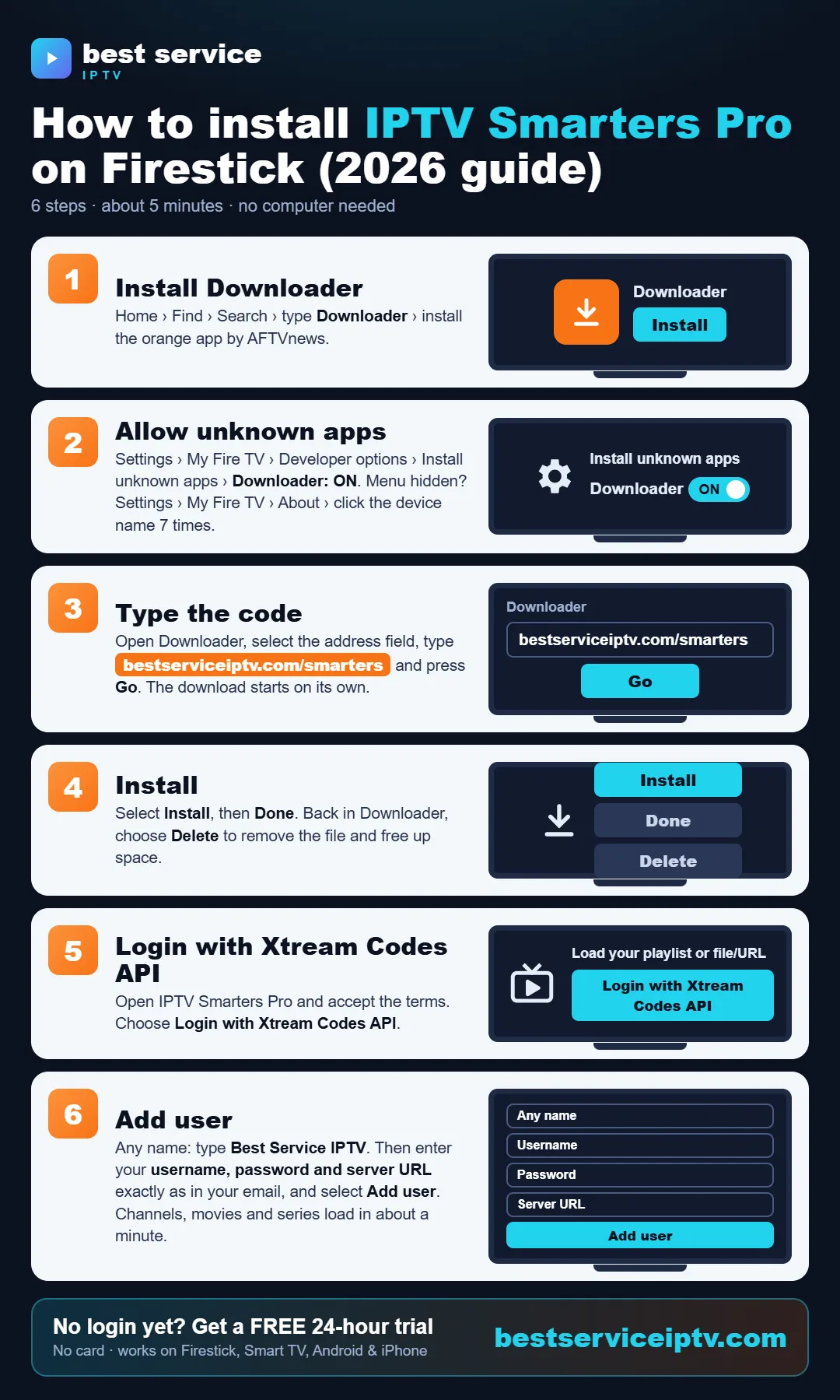
How to install IPTV Smarters Pro on Firestick
Share this infographic on your site
Read the full guide: How to install IPTV Smarters Pro on Firestick →
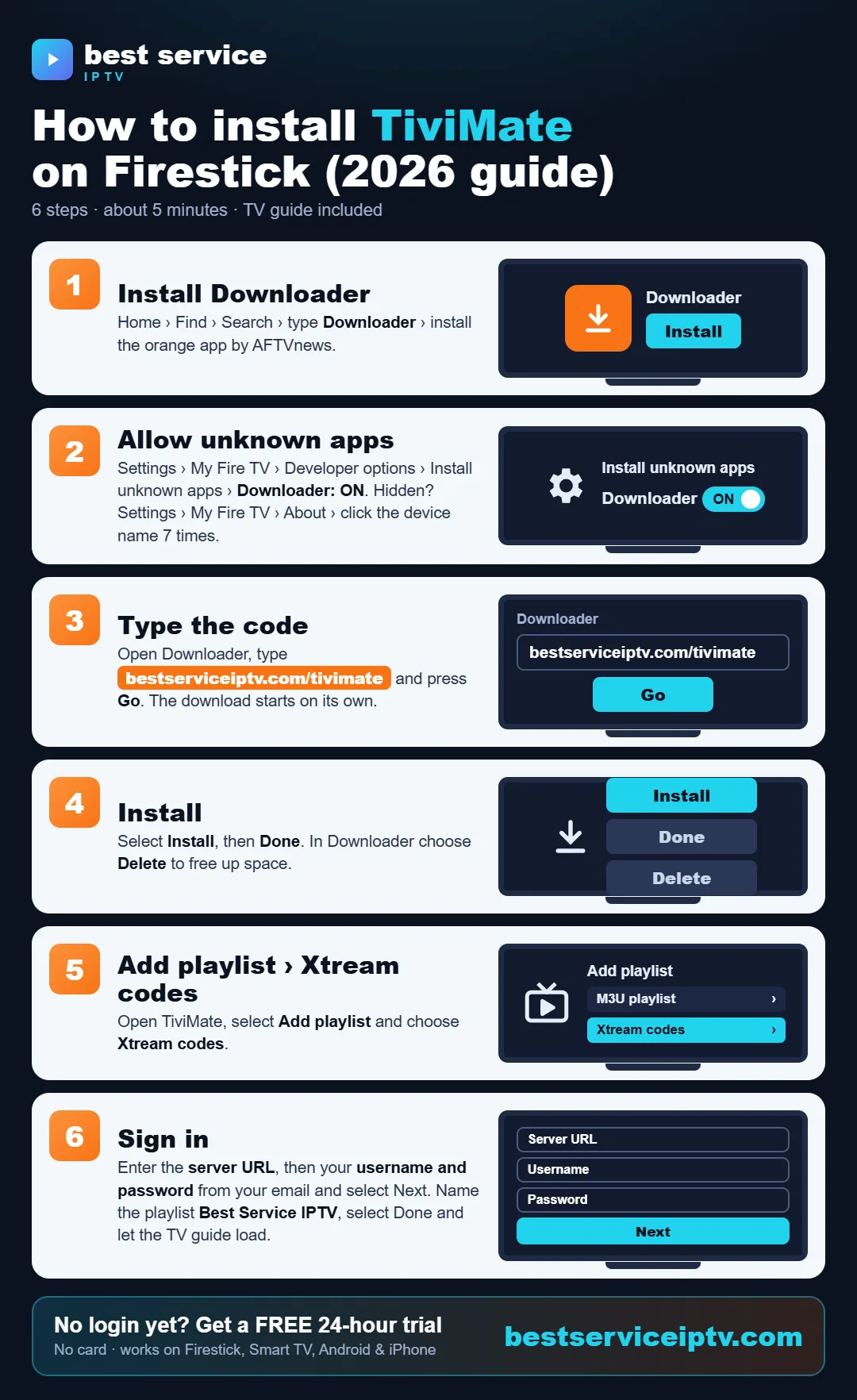
How to install TiviMate on Firestick
Share this infographic on your site
Read the full guide: How to install TiviMate on Firestick →
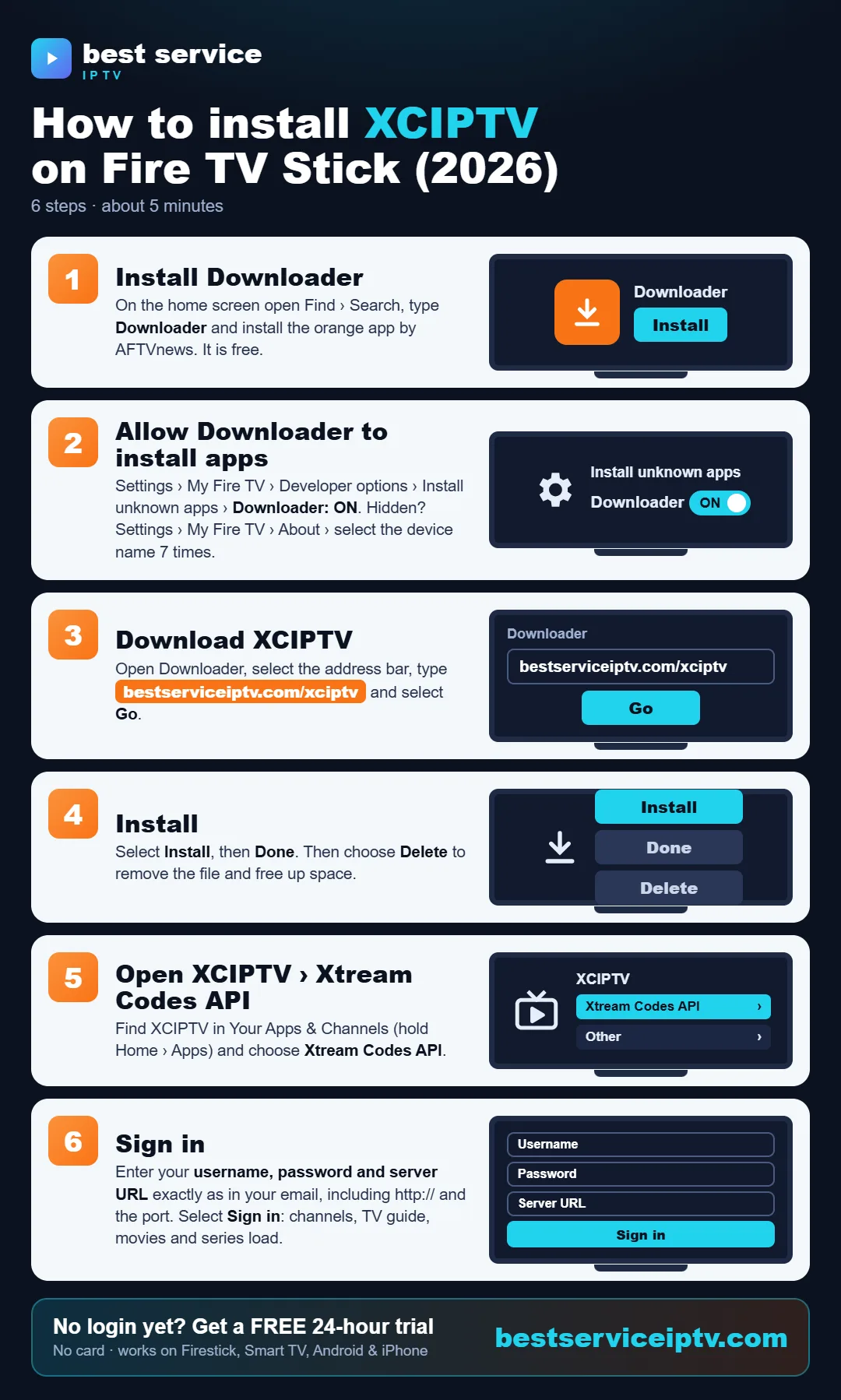
How to install XCIPTV on Fire TV Stick
Share this infographic on your site
Read the full guide: How to install XCIPTV on Fire TV Stick →
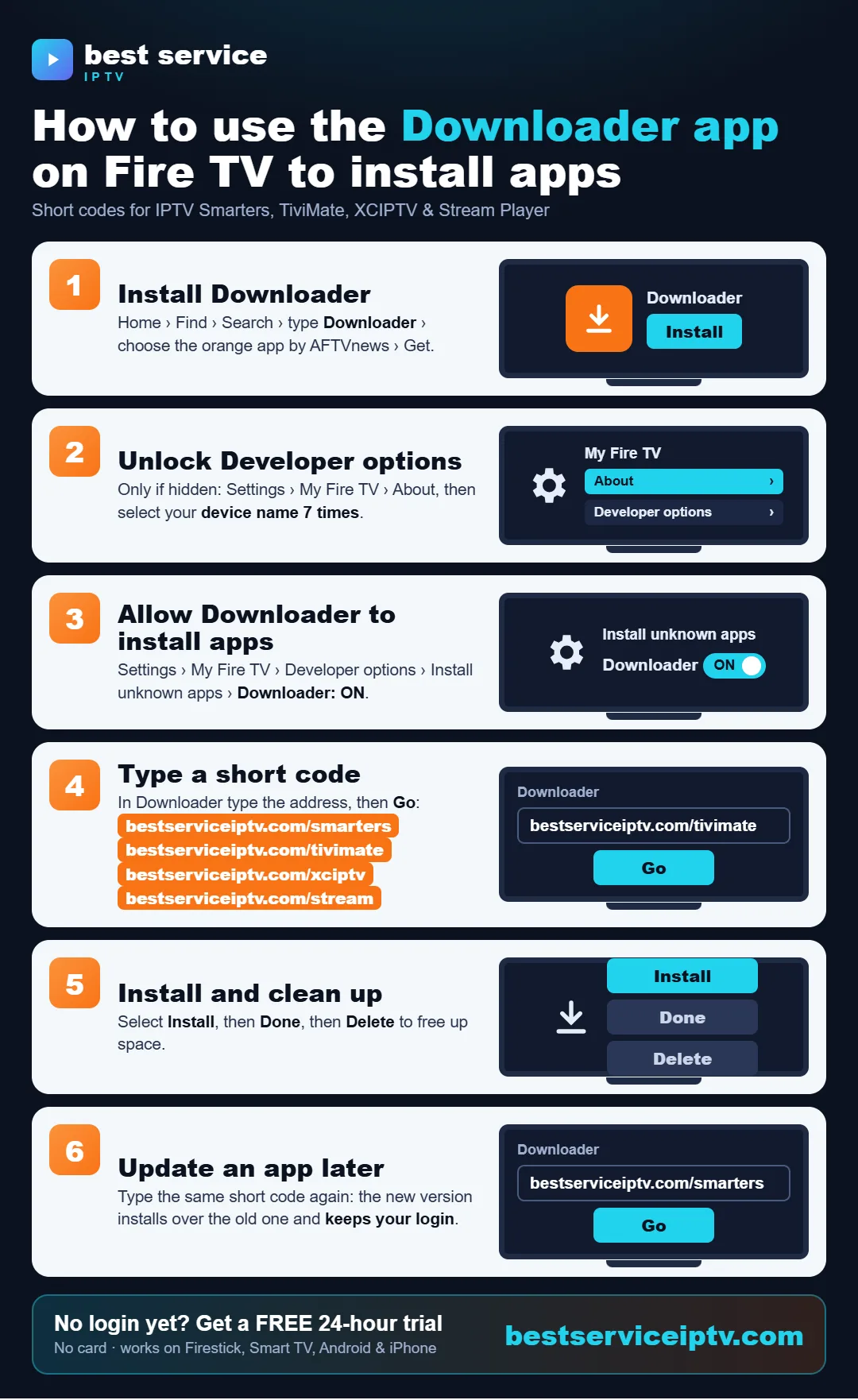
How to use the Downloader app on Fire TV
Share this infographic on your site
Read the full guide: How to use the Downloader app on Fire TV →
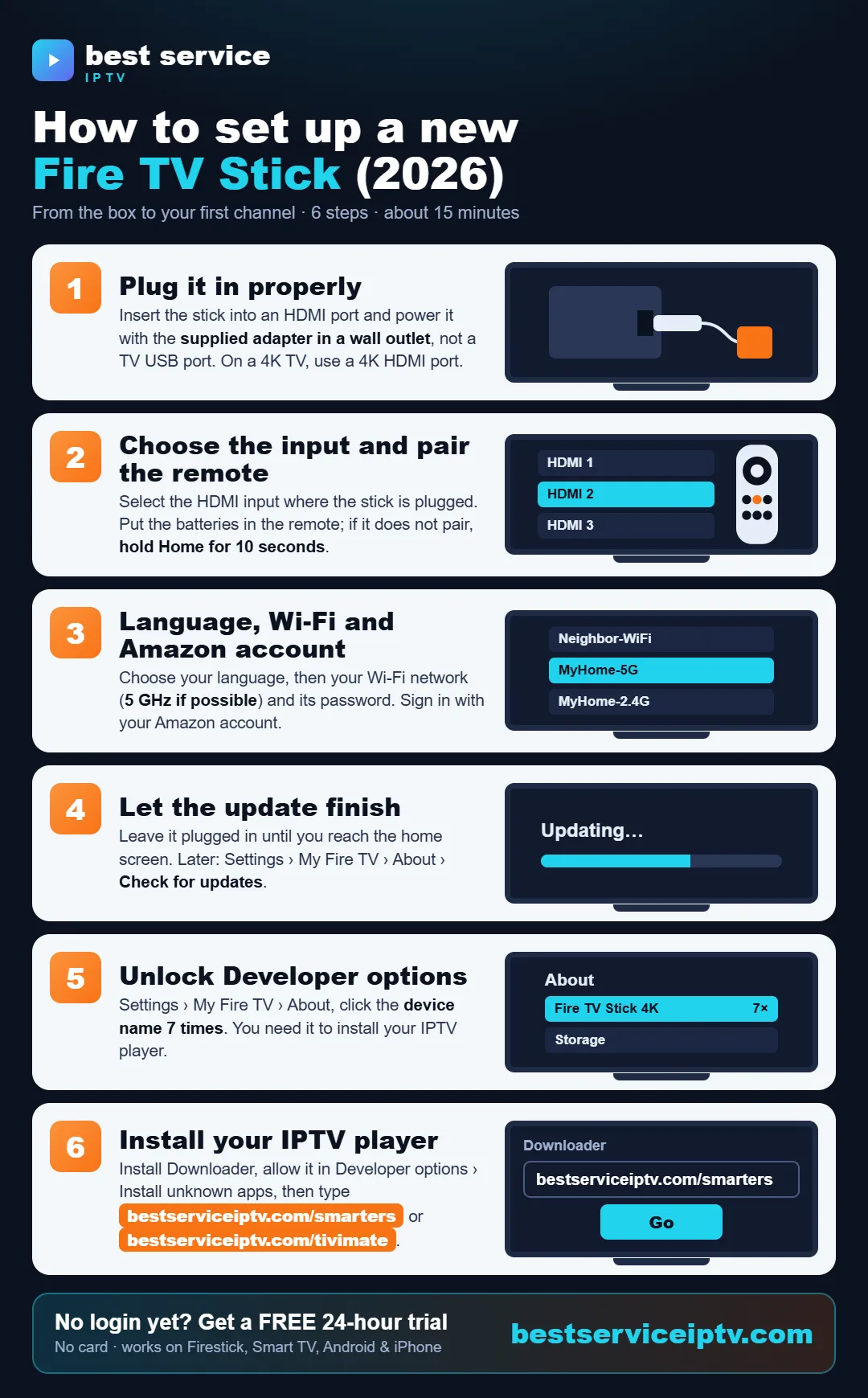
How to set up a new Fire TV Stick
Share this infographic on your site
Read the full guide: How to set up a new Fire TV Stick →
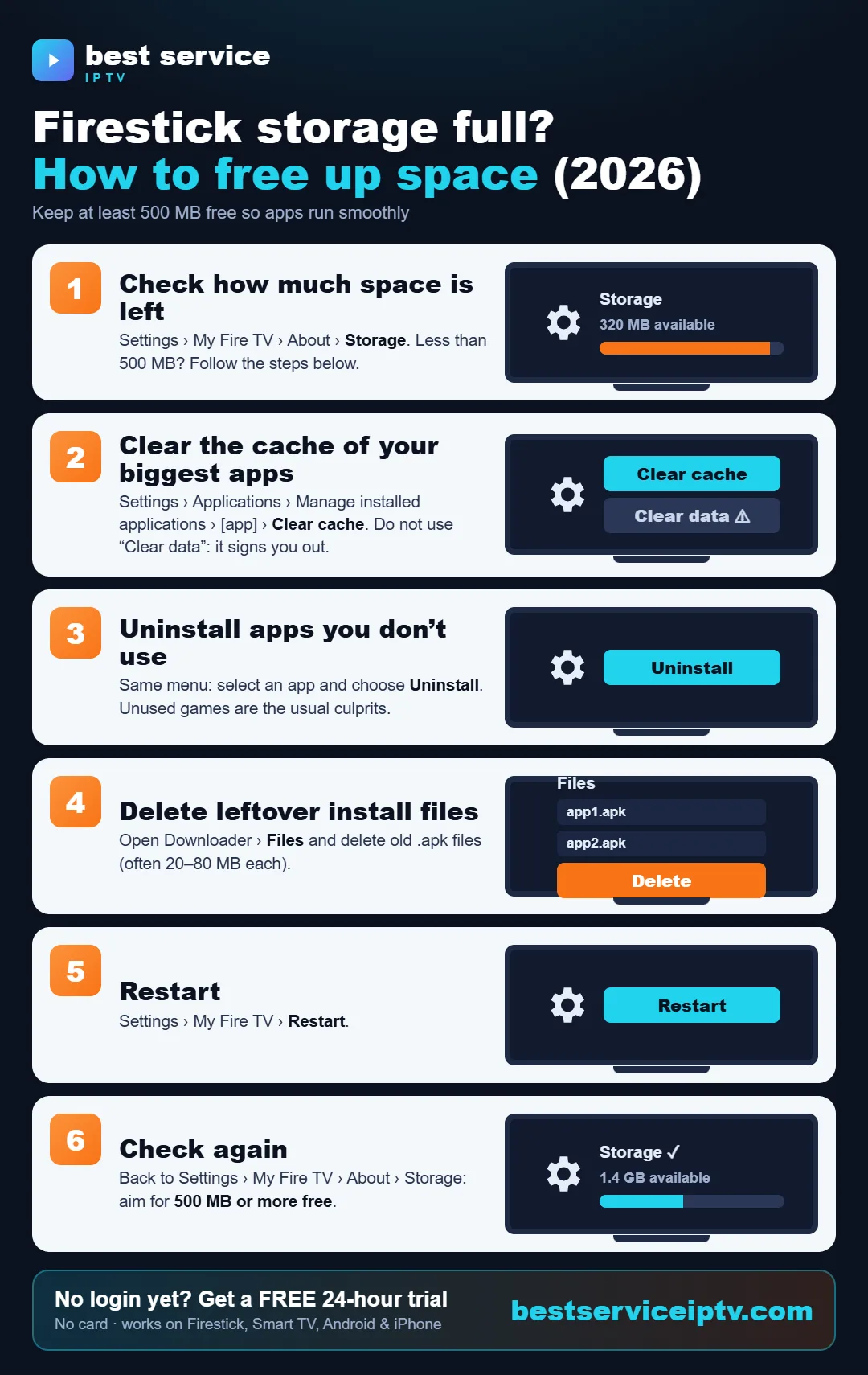
Firestick storage full: how to free up space
Share this infographic on your site
Read the full guide: Firestick storage full: how to free up space →
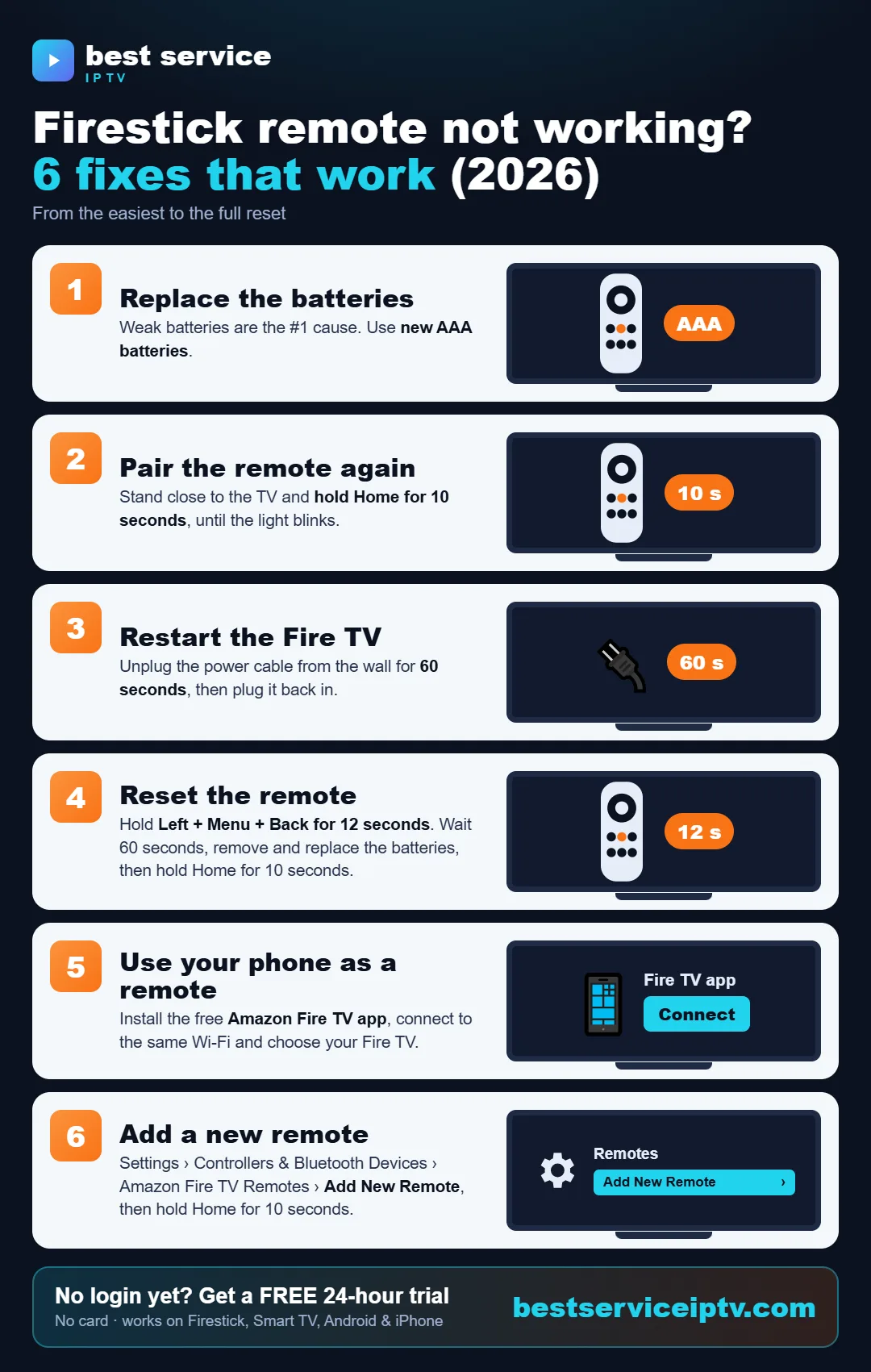
Firestick remote not working: 6 fixes
Share this infographic on your site
Read the full guide: Firestick remote not working: 6 fixes →
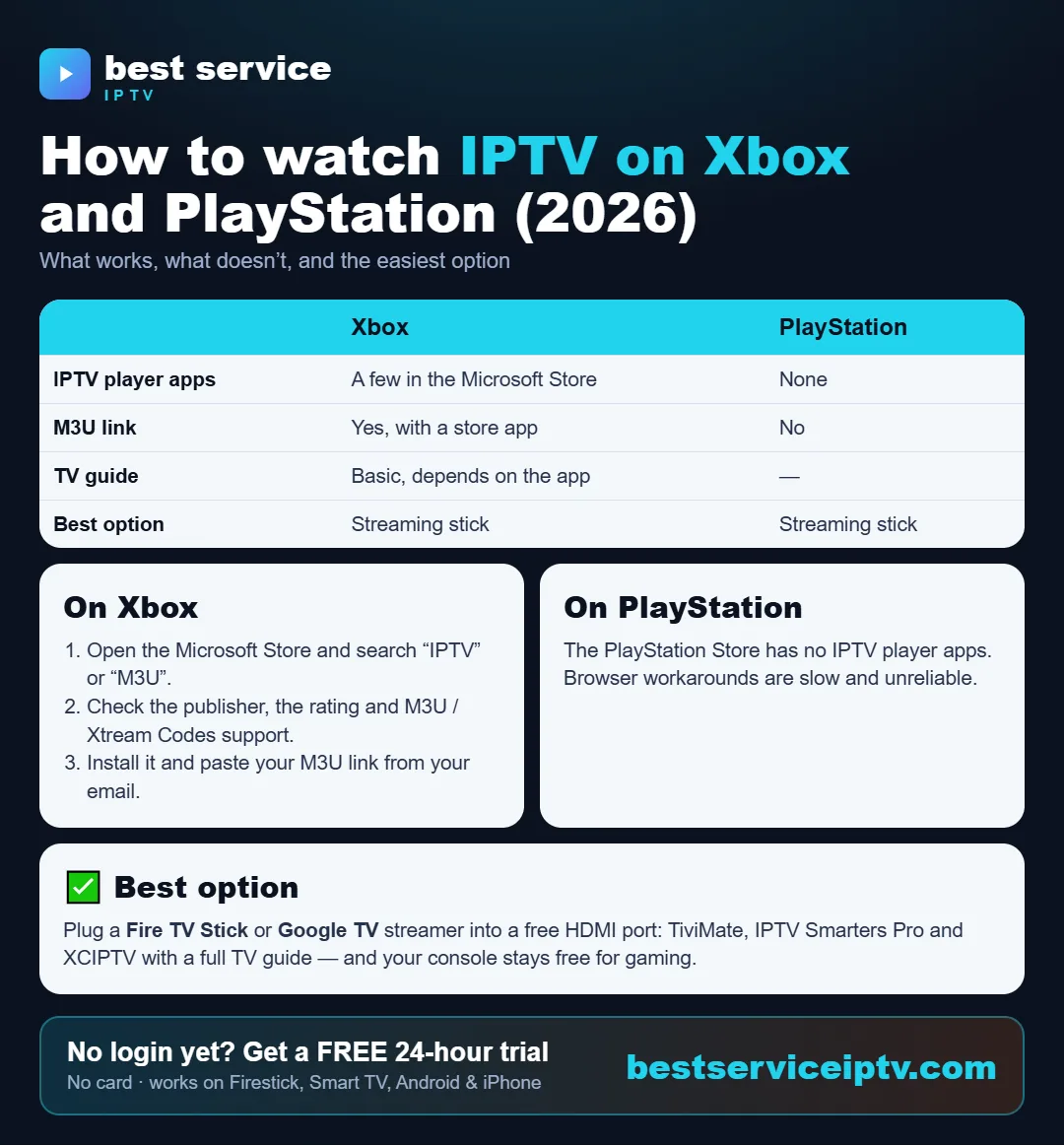
How to watch IPTV on Xbox and PlayStation
Share this infographic on your site
Read the full guide: How to watch IPTV on Xbox and PlayStation →
No IPTV subscription yet? Get your IPTV login in minutes: 20,000+ live channels, 200,000+ movies & series, HD & 4K, plans from $9.50 with no auto-renewal and 24/7 support — or try it free for 24 hours.
Order a subscription Free 24h trialReady to start? Get best service iptv on your device in minutes. Try it free for 24 hours, then choose a plan from $9.50 (USD, USA & Canada).
Start free trial See plans